
Why does my Samsung A35 5G run out of battery so quickly?
Publicado por Maria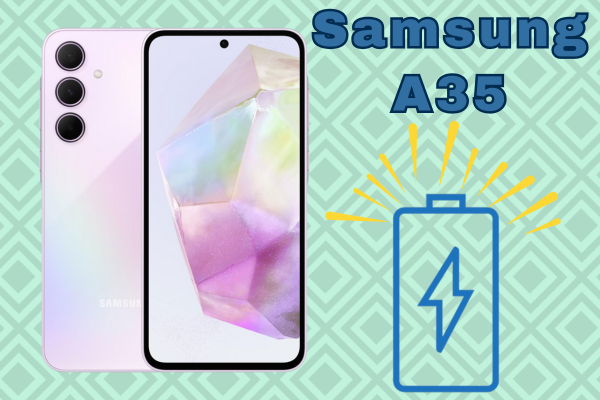
Why does my Samsung A35 5G run out of battery so quickly? ??
Hello, tech enthusiasts and survivors of the "1% battery" club! ? If you've made it this far, it's likely you're staring at your beloved Samsung Galaxy A35 5G with a not-so-friendly face because, once again, it let you down before dinner. So frustrating, right? ? You buy a new phone, expecting it to be an endless energy machine, only to feel like it?s glued to the charger more than you?re glued to social media.
But don?t panic! At iLevante, we are experts at bringing your electronic gadgets back to life, and today we?re going to dissect (metaphorically and a bit literally below ?) everything you need to know about the 4905mAh Battery Samsung A35 5G EB-BA546ABY. Is it that addictive game? Is 5G draining energy like a vampire? Or has your battery simply said "this is as far as I go"? Let?s find out!
The Heart of Your Galaxy: The EB-BA546ABY Battery ?

Before we get down to business with screwdrivers and magic solutions, let?s get a bit serious (just a bit ?) to understand what powers your device. The Samsung A35 5G doesn?t work on magic but on quite a concrete piece of engineering. Here's the technical breakdown of your trusted companion:
Technical Specs of the Battery:
- Model: EB-BA546ABY (A familiar face, as it's compatible with other models in the A series like the A54 and A34).
- Capacity: 5000 mAh (typical). That?s a pretty big fuel tank!
- Technology: Li-Ion (Lithium-Ion).
- Voltage: 3.88V.
- Charging: Supports fast charging up to 25W.
How long should it really last? ?
On paper, 5000 mAh is a lot. In an ideal world with rainbows and unicorns:
- With heavy usage (gamer mode on ? + full-on 5G): You should get about 10-12 hours of screen time.
- With moderate usage (social media, WhatsApp, and some photos): You should easily surpass a day and a half.
- In standby: Days! But let?s be honest, no one leaves their phone on standby.
If your numbers don?t resemble these... Houston, we have a problem! ?
Types of Batteries You Can Find in the Market
When you venture out to look for a replacement, you'll see more names than on Santa?s gift list. Without getting too detailed, here are the types that exist:
- Original Service Pack Battery (The crown jewel)
- OEM Battery (Original Equipment Manufacturer)
- Compatible High-Quality Battery (Our favorite for quality/price)
- Standard Compatible Battery
- Refurbished Battery
? The Truth Table: Prices and Options
We know money matters. Here?s a direct comparison to show you that fixing your phone doesn?t have to cost an arm and a leg. At iLevante, we like to take care of your wallet.
| Product Type | Market Price (Original) | Market Price (Compatible) | iLevante Price ? |
|---|---|---|---|
| Samsung A35 5G Battery (EB-BA546ABY) | ~ 35.00 ? - 45.00 ? | ~ 20.00 ? - 25.00 ? | 10.95€ |
*Approximate market prices subject to change. The iLevante price is the best current offer for high-quality replacements.
How Do I Know If My Battery is Crying for Help? ?
Sometimes the problem is software (an app stuck in the background), but more often, it's pure hardware. Here are the unmistakable symptoms of a faulty battery:
- The Leap of Faith: Your battery goes from 40% to 15% in the blink of an eye. That?s not normal, friend.
- The Surprise Blackout: It shuts down at 20% as if it fainted.
- The Pregnant Phone ?: If you notice the back cover lifting or bulging, BE CAREFUL! The battery has swollen. Stop using the phone immediately and prepare to replace it. It?s dangerous.
- Global Warming (in your hand): It overheats excessively even when you?re just sending a WhatsApp.
?? Let?s Get to Work: Tools Needed for the Operation
Ready to change it yourself? That?s the spirit! ? But don?t go in blind with a butter knife. You?ll need precision tools to avoid messing things up:
- Opening Pick or iSesamo: To separate the back cover without damaging it.
- Suction Cup: To safely pull off the back glass.
- Phillips Screwdriver (Star) #00: The gold standard in mobile repairs.
- Plastic Spudger: Essential for disconnecting cables without short circuits.
- Heat Gun or Powerful Hair Dryer: To soften the adhesive holding the cover.
- Isopropyl Alcohol: Helps dissolve the adhesive on the old battery.
?? List of Problems (and How to Avoid Them) When Opening Your Samsung
Repairing is fun, but it comes with risks. Here are the most common "fails" so you DON?T commit them:
? BE CAREFUL WITH THIS!
- Breaking the Back Cover: The A35 has a glass (or "glasstic") finish. If you don?t apply enough heat and pull too hard... crack. Take your time warming the edges.
- Cutting the Screen Flex Cable: When inserting the pick to open the phone, don?t go deeper than 5mm. There are flat cables (flex) connecting the motherboard to the lower part and the screen. If you cut one, the repair will become expensive.
- Puncturing the Old Battery: When trying to remove the battery, NEVER use sharp metal tools. If you puncture the battery, it could catch fire. Use plastic tools and isopropyl alcohol to soften the adhesive.
- Losing Screws: This might sound silly, but they?re tiny. Use a magnetic map or a piece of paper to track where each one goes.
Little Survival Guide: Basic Steps for Replacement
Although we always recommend watching a full video tutorial (there are thousands online), here?s the roadmap:
- Heat, lots of heat: Apply hot air around the rear edges for a couple of minutes.
- Suction Cup and Pick: Place the suction cup on the lower part and gently pull until a gap is created. Insert the pick and slide it around the edge to cut the adhesive.
- Unscrew: Once the cover is off, you?ll see an intermediate shell with several Phillips screws. Remove them all.
- Disconnect: ALWAYS disconnect the battery flex first to cut the power. Then disconnect any other cables in the way.
- Extraction: The battery is often glued down tight. Apply some isopropyl alcohol around the edges, wait a minute, and gently lever it out with a plastic tool.
- Installation: Place the new battery (use double-sided adhesive if it doesn?t come with it), reconnect everything, screw everything back, and reattach the cover.
Are You Up for It?
Owning a Samsung A35 5G is fantastic, but not if you?re chained to the outlet. If you?ve noticed your battery isn?t what it used to be, replacing it is one of the most worthwhile and smart investments you can make. For less than the cost of a daily menu, you can have your phone running like it just came out of the box. ?
At iLevante.com, we have the replacement waiting for you. Give your phone a second life today!






