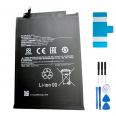
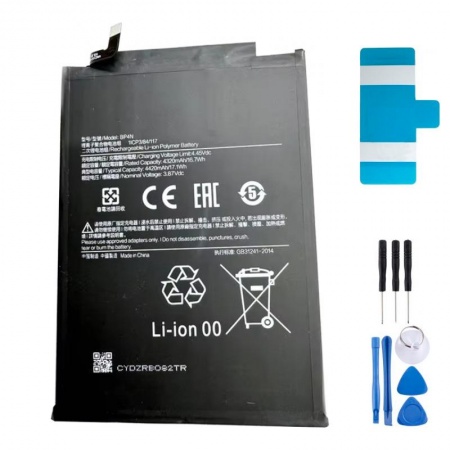
4320mAh Xiaomi Pad 6 BP4N Battery
The Xiaomi Pad 6 was launched in 2023 with one feature that immediately stood out: 8840mAh in a body just 6.5mm thick. How did Xiaomi achieve this? By distributing the power across two BP4N cells, each with a nominal capacity of 4320mAh, instead of using a single large battery pack. That is where the number in this part reference comes from, and also why the tablet can sometimes start failing "halfway": one cell ages slightly faster than the other and the battery percentage starts behaving erratically.
When it was brand new, the tablet could last just over 11 hours of browsing and around 12 and a half hours playing video on loop. When that figure drops by half, or when the charge falls from 40% to 15% during an afternoon of watching series, you already know what is likely to be causing the problem.
When to replace the Xiaomi Pad 6 battery
Before opening anything, it is worth ruling out software issues. After some MIUI and HyperOS updates, some users reported unusually high battery consumption that was resolved by updating apps and restarting the tablet. The iLevante team always recommends checking the actual battery data first, as Xiaomi hides it rather well:
- In HyperOS, go to Settings > Battery > Battery protection and check the accumulated cycles.
- For more accurate information, enter *#*#6485#*#* using the dialler. MF_02 shows the charging cycles, while comparing MF_05 (current capacity) with MF_06 (factory capacity) shows the actual level of wear.
- After around 500 cycles, the loss of capacity usually becomes noticeable.
There is one warning sign that cannot wait: the screen begins to separate or lifts along one edge. On the Pad 6, the screen acts as the cover and the rear panel is made of aluminium, so when a cell swells, the glass is usually the first part to give way. If you notice this, switch off the tablet, do not charge it and replace the battery as soon as possible. Other more subtle warning signs include the tablet switching off with 20% or 30% charge remaining, becoming hot while idle and charging getting stuck.
What the BP4N battery for Xiaomi Pad 6 includes
This is a lithium-polymer cell rated at 3.87V and 4320mAh, with OEM quality, compatible with models 23043RP34C, 23043RP34G and 23043RP34I. Please note that the Pad 6 Pro and Pad 6 Max use different batteries, so this part is not compatible with them. It features protection against overcharging, over-discharge and short circuits, and supports the original charger's 33W fast charging, which can fully charge the tablet in just under an hour and a half when it is in good condition.
- Battery adhesive included, pre-cut to size so that it can be fitted as it was from the factory.
- Free tool kit, including the essentials for opening the tablet without damaging the glass.
A workshop tip: as the Pad 6 contains two cells, if both have the same age and number of cycles, the best approach in our experience at iLevante is to replace both during the same repair. This keeps them working in balance and means you only have to open the tablet once, which is the most delicate part of the job.
How to replace the Xiaomi Pad 6 battery (and where things can go wrong)
Here is something that few people mention: the tablet is opened from the front. The screen is an extremely thin 11-inch IPS panel, secured with a considerable amount of adhesive, and it is the part most likely to be damaged during a DIY repair. The iLevante team heats the edges to around 75°C, preferably using a heating mat rather than a hairdryer, as the heat needs to be even. Thin plastic picks are then inserted without going deeper than 2–3mm, as the screen flex cable is attached along the side.
Once the screen is removed, the order of the steps is important. Disconnect the battery connector first, using a plastic tool, never a metal one. The cell is firmly attached, so apply gentle heat and be patient; do not bend or puncture it when levering it out. When reassembling, connect the screen flex cable first and leave the battery until last. This helps prevent power spikes that could damage the panel. With practice, the repair takes around 30–40 minutes. If it is your first time, take your time.
Post-repair tip: during the first few days, the system may still not "recognise" the new battery properly and the percentage may fluctuate slightly. Perform two or three full charges up to 100% and then return to normal use. After that, keeping the battery between 20% and 80% will significantly extend its lifespan.
What if the tablet does not charge after the replacement, or shows that it is charging but the percentage does not increase? In almost every case we see, the battery connector has not been seated correctly or a flex cable has been trapped when closing the tablet. Check this before blaming the battery cell.
• Product Weight: 0.12 kg.The technical specs of Xiaomi Pad 6
can help you to choose the correct repair part for your device. Make sure your model reference is the same as this element. Here are some tech specs to help you:
- Brand: Xiaomi
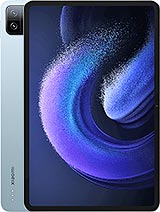
- Xiaomi Pad 6 Size: 254 x 165.2 x 6.5 mm.
- Release date: 2023, April 18.
- Weight: 490 g.
- Screen specs: IPS LCD, 1B colors, 144Hz, HDR10, Dolby Vision, 550 nits.
- Screen size: 11.0 inches, 350.9 cm2.
PVP:
SNK.AS15366113.95€ AvailableInStockNewCondition