Advantages of Changing Your iPhone 8 Battery
Restoration of Original Autonomy
Over time, any smartphone battery begins to degrade. This is a natural process that reduces the autonomy of the device. By replacing the old battery with a new premium quality one, your iPhone 8 will regain original autonomy, allowing you to enjoy more usage time between charges.
A worn-out battery can cause multiple performance issues on your iPhone 8, including unexpected shutdowns and slow performance. By installing a new battery, these issues often disappear, as the phone receives the necessary power to function optimally.
Prolongation of the Phone's Lifespan
Replacing the battery in your iPhone 8 not only improves its current performance but also extends the device's lifespan. This is especially valuable if you are not looking to upgrade to a new phone in the short term.
How to Change the iPhone 8 Battery
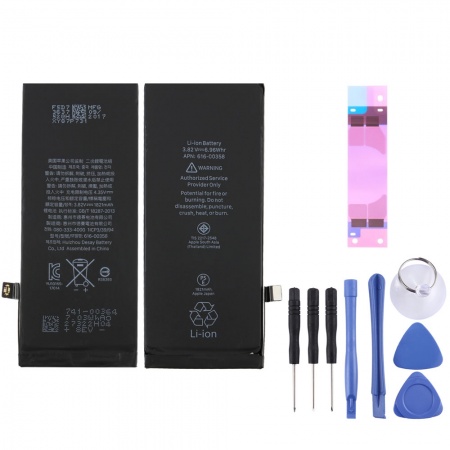
To change your iPhone 8 battery, you will need some specialized tools, such as a Pentalobe screwdriver, a suction cup, a spudger (plastic lever), and a set of tweezers. It is recommended to work in a clean and organized area to avoid losing any small parts.Steps for Battery Replacement
1. Turn Off the iPhone: Before starting, make sure your iPhone 8 is completely turned off.
2. Remove the Pentalobe Screws: Use the Pentalobe screwdriver to remove the two screws located next to the charging port.
3. Open the Screen: Place the suction cup near the home button and gently pull up to create a small gap. Use the spudger to slowly separate the screen from the chassis.
4. Disconnect the Battery: Once the screen is raised, use the screwdriver to remove the screws securing the battery connector and carefully disconnect it.
5. Remove the Old Battery: Use the spudger to detach the old battery. If it's very adhesive, you can apply some heat with a hairdryer to soften the adhesive.
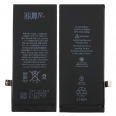
6. Install the New Battery: Place the new AP80004 battery in the compartment and reconnect the battery connector. Make sure it is securely fixed.
7. Reassemble the iPhone: Replace the screen in its original position and secure it with the Pentalobe screws.Important Recommendations
- Backup: Before starting the battery replacement process, it is recommended to back up your iPhone 8.
- Handle Internal Components Carefully: During battery replacement, it is important to handle the internal components carefully to avoid damage.
- Consult a Professional: If you do not feel comfortable performing the battery replacement yourself, we recommend seeking the help of a professional technician.
The premium quality AP80004 battery for iPhone 8 available at iLevante.com is the ideal choice to restore the autonomy and performance of your device. With a capacity of 1821 mAh and guaranteed compatibility with models A1863, A1905, A1906, this battery represents a smart investment to prolong the life of your iPhone 8. If you decide to change the battery yourself, follow the instructions carefully to ensure a successful installation.