iPhone 13 battery: leave home again without checking the percentage
It probably sounds familiar. You unplug your phone at 100% in the morning and, by lunchtime, you are already looking for a power socket. Or the phone suddenly switches off at 20% just when you were about to pay with it. After two or three years of use, this is normal: lithium batteries wear out with every charge, and the iPhone 13 is no exception. Fortunately, replacing the iPhone 13 battery is one of the repairs you notice the most. It is like having a brand-new phone for a fraction of the cost of buying one.
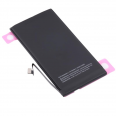
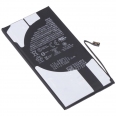
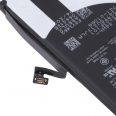
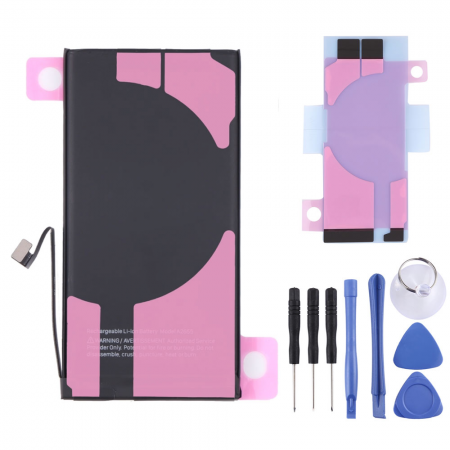
This replacement battery for iPhone 13 has a capacity of 3227 mAh (approximately 12.41 Wh) and carries the reference AP130004. It has exactly the same capacity as the battery originally fitted in your phone. Apple states that the original battery can provide up to 19 hours of video playback, and that is the battery life we aim to restore.
What does it mean for the iPhone 13 battery to be OEM?
OEM stands for Original Equipment Manufacturer. In simple terms, this is a battery manufactured to the same specifications as the original, designed to fit perfectly and work in the same way. It has the same shape, connector and capacity. It does not carry the Apple logo or go through Apple's technical service, which is why the price is much more affordable.
Compatible models
First of all, check your phone's model number. You can find it under Settings > General > About; tap the model number to display the code beginning with "A". This battery is compatible with:
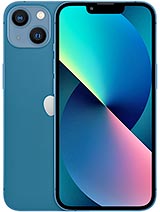
- iPhone 13: A2633, A2482, A2631, A2634 and A2635
Please note that the iPhone 13 mini, 13 Pro and 13 Pro Max use different batteries. They may look similar, but they are not interchangeable.
What comes in the box with your iPhone 13 battery
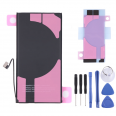
As well as the battery, we send you a free screwdriver kit so you can carry out the replacement at home without having to buy anything else. You also receive 1 free screen protector. If you are opening your phone and making it feel like new again, protecting the glass from now on is the least we can do.
We also include the adhesive strips, so you can correctly secure the new battery inside your phone.
How to replace the iPhone 13 battery (and what nobody tells you)
There is something that surprises many people: on the iPhone 13, you access the phone through the screen, not through the glass back cover. There is another detail that catches almost everyone by surprise. To remove the battery, you first have to take out the bottom loudspeaker, which sits directly above one of the adhesive strips. With this in mind, the process is quite manageable if you take your time.
- P2 pentalobe screwdriver for the two screws next to the charging port
- Phillips screwdriver for the connector covers and loudspeaker
- Y000 tri-point screwdriver for a small screw in the upper section
- Suction cup and plastic picks
- A hairdryer, which really does work remarkably well
- Blunt-tipped tweezers and a spudger (a small plastic prying tool)
Step by step
- Discharge the battery below 25% and switch off the phone. A lithium battery with a low charge is much safer if it is accidentally bent or punctured.
- Remove the two 6.8 mm pentalobe screws from the bottom edge.
- Heat the bottom edge with the hairdryer for about one minute. This softens the screen adhesive and makes the job much easier.
- Place the suction cup at the bottom, pull gently and insert a pick into the gap. Slide it around the edges without inserting it more than 2–3 mm, as the screen cables run along one side and the Face ID area is located at the top. This is where most phones are damaged.
- Open the screen like a book without forcing it, and support it with something so that the cables are not strained.
- Remove the metal connector cover and disconnect the battery first, followed by the screen. Always follow this order.
- Remove the four screws securing the bottom loudspeaker and take it out.
- Now it is time to remove the stretch-release adhesive strips. Pull them slowly, keeping them almost parallel to the phone, and do not rush. If one breaks, which happens more often than you might think, a few drops of 90% isopropyl alcohol beneath the battery will soften the adhesive within a couple of minutes.
- Install the new iPhone 13 battery and connect it. Reassemble everything in reverse order.
Here is a tip you will appreciate: place each screw on a sheet of paper in the order in which you remove it. They are almost the same size, but putting a long screw in the wrong hole can damage the logic board.
Important details to know before you start
Opening the screen breaks the original factory seal, so the phone will lose some of its water resistance. If possible, fit a new adhesive seal when closing it. The same applies to the battery strips: you will need to have our included replacement set to hand, as the old strips cannot be reused.
Now for the issue that raises the most questions. After the replacement, iOS may display a "Unknown Part" or "Important Battery Message" notification, and you will no longer see the battery health percentage in Settings. Do not worry; nothing bad has happened. Apple links each battery to the phone's serial number and displays this warning for any battery that has not been installed by its authorised service provider. The battery will charge and last exactly the same, and the phone will work completely normally.
Finally, allow the battery to calibrate. Charge it to 100% and leave it plugged in for another couple of hours. Then use it normally until it switches off by itself and charge it fully again without interruption. This allows the system to learn the actual capacity, ensuring that the percentages you see are accurate from the first day.
Is it worth replacing the iPhone 13 battery?
Absolutely. The factory battery is designed to retain around 80% of its capacity after approximately 500 complete charge cycles. If you charge your phone every day, that works out at around two years. After that, the iPhone starts limiting its performance to prevent unexpected shutdowns, and you notice it: it becomes slower, gets hotter and the battery level drops unevenly. With a new battery, you restore the battery life and the smooth performance you had forgotten it was capable of.
Considering the price of the iPhone 13 battery available here, together with the tool kit and free screen protector, it is one of the best ways to extend your phone's life for several more years.
• Product Weight: 0.10 kg.The technical specs of Apple iPhone 13
can help you to choose the correct repair part for your device. Make sure your model reference is the same as this element. Here are some tech specs to help you:
- Brand: Apple
- Apple iPhone 13 Size: 146.7 x 71.5 x 7.7 mm.
- Release date: 2021, September 14.
- Weight: 174 g.
- Screen specs: Super Retina XDR OLED, HDR10, Dolby Vision, 800 nits , 1200 nits.
- Screen size: 6.1 inches, 90.2 cm2.
PVP:
SNK.AS09630712.95€ AvailableInStockNewCondition