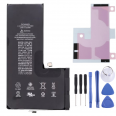
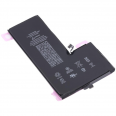
When the iPhone 11 Pro Max went on sale in September 2019, the first teardowns confirmed what had already appeared in the records of the Chinese regulator TENAA: Apple had fitted the largest battery ever used in an iPhone up to that point. 3969mAh at 3.79V, 15.04Wh. That is around 25% more than the iPhone XS Max, which had a 3174mAh battery and 12.08Wh. The difference was immediately noticeable: Apple announced up to 20 hours of video playback, 12 hours of streaming and 80 hours of audio. In GSMArena laboratory tests, it was the first phone to exceed the 100-hour mark in its battery endurance rating.
However, that battery life does not last forever. Apple designs iPhone batteries up to the iPhone 14 generation to retain 80% of their original capacity after 500 complete charge cycles under ideal conditions. Today, most of these devices have far exceeded that figure. The symptoms are easy to recognise: sudden shutdowns with 20 or 30% charge remaining, apps taking longer to open, a lower frame rate or a phone that only starts when it is plugged in. Much of this slowdown is caused by iOS performance management itself, which limits power peaks when it detects that the cell can no longer supply them. With a new iPhone 11 Pro Max battery, the system regains this power margin.
Technical specifications of the iPhone 11 Pro Max battery
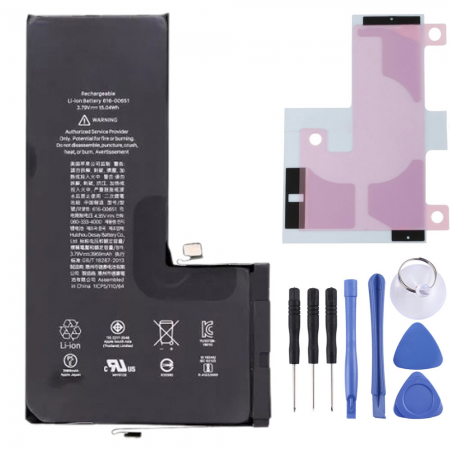
- Capacity: 3969mAh, the same as the original factory battery
- Nominal voltage: 3.79V
- Energy: 15.04Wh
- Chemistry: lithium-ion polymer
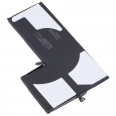
- Design: single L-shaped cell with dual connectors
- Compatibility: iPhone 11 Pro Max, models A2161, A2218 and A2220
- Replacement quality: OEM
- Includes: model-specific adhesive strips and a free tool kit
What does OEM battery quality mean?
OEM stands for Original Equipment Manufacturer. In the world of iPhone replacement parts, the term refers to batteries manufactured within the supply chain that works to Apple’s specifications. They have the same chemistry, capacity, voltage and physical design as the part fitted at the factory. The difference lies in the sales channel, as they are not distributed through Apple’s official repair programme. What really matters to the user is the quality of the cell, the design of its protection circuit and its stability over hundreds of cycles. In all three respects, an OEM battery is comparable to an original battery.
The unusual architecture of the iPhone 11 Pro Max battery
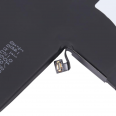
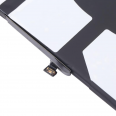
The iPhone X and XS used L-shaped batteries made up of two connected cells. In the 11 Pro Max, Apple manufactured a single L-shaped piece, which is slightly thicker and heavier than that of its predecessor. There is also a detail that caught iFixit’s attention during its teardown: the battery has two connectors. One is located at the top, beneath a small metal plate next to the logic board. The other is at the bottom, hidden beneath the Taptic Engine. For months, there was speculation that this second cable anticipated bilateral wireless charging, a feature that was never enabled. In practice, this dual-connector design is why replacing the 11 Pro Max battery requires somewhat more work than on other models. It also explains one of the most common oversights among first-time repairers.
How to replace the iPhone 11 Pro Max battery step by step
This is a repair of medium difficulty, and someone with a steady hand and patience can complete it in 30 to 60 minutes. The battery comes with a free tool kit and replacement adhesive, so there is no need to purchase anything else for the installation. It is also advisable to have a hairdryer or a gentle heat source available.
Before opening the phone
Discharge the battery below 25%. A charged lithium-ion cell can catch fire if accidentally punctured, and the removal process takes place very close to it. Turn the iPhone off completely. If the old battery is swollen and the screen has already lifted by itself, take extreme care and do not press it under any circumstances.
Replacement process
- Bottom screws. Remove the two 6.7mm pentalobe screws located on either side of the Lightning connector.
- Opening the screen. Heat the bottom edge and place the suction cup on the glass, close to that edge; the 11 Pro Max has no Home button. Once a gap appears, insert the pick no more than 3mm deep and move it around the sides to cut through the adhesive. The screen opens like the cover of a book, pivoting towards the right because the panel cables are located on the right-hand side.
- Disconnecting the battery. Remove the two 1.3mm Y000 screws securing the battery connector cover and lift the connector with the spudger. Always do this before touching any other cable.
- Separating the screen. Remove the plate covering the panel connectors, secured by six 1.3mm Y000 screws, and disconnect the screen cables and the front sensor assembly cables.
- Taptic Engine and lower connector. Remove the cover over the second battery connector, secured by four 1.2mm Y000 screws, disconnect the Taptic Engine and remove it. One of its screws is a 4mm standoff; keep it separate so that it is not confused during reassembly.
- Lightning bracket. Remove the bracket securing the charging connector flex cable, using three Y000 screws, and disconnect it to provide clear access to the battery.
- Removing the battery. The cell is secured by three stretch-release adhesive strips with five tabs: one along the bottom edge, two at the top and two on the right. Pull them slowly and at a very low angle. If one breaks, a few drops of over 90% isopropyl alcohol beneath the battery will loosen the adhesive. Avoid levering with metal tools.
- Installing the new battery. Apply the supplied adhesive to the chassis, remove the top film and place the battery in position. Press it for a few seconds to ensure it is securely attached.
- Reassembly. Repeat the process in reverse order: Lightning connector, Taptic Engine, lower connector, screen cables and, finally, the upper battery connector. Close the screen starting at the top edge and reinstall the pentalobe screws.
Common mistakes when replacing the iPhone 11 Pro Max battery
- Forgetting the lower connector beneath the Taptic Engine. The phone starts, but battery behaviour becomes erratic.
- Inserting the pick more than 3mm into the upper area, where the Face ID components and OLED panel flex cables are located.
- Pulling the adhesive strips upwards instead of stretching them parallel to the chassis. This is what causes them to break.
- Mixing up the 1.2mm and 1.3mm Y000 screws. A difference of one tenth of a millimetre is enough to damage a trace on the logic board.
- Pressing the screen too hard when closing it, risking cracking the glass.
The “Service” warning after replacing the iPhone 11 Pro Max battery
Starting with the iPhone XS, Apple links each battery to the phone’s serial number through a management chip integrated into the cell’s flex cable. When a battery that has not gone through Apple’s pairing system is installed, it is common for iOS to display the message “Unable to verify this iPhone has a genuine Apple battery”. The warning appears on the lock screen for approximately four days and in Settings for fifteen days. It then remains recorded under Settings > General > About, within the parts and service history. In the Battery Health section, the percentage is replaced by the word “Service”.
It is important to understand exactly what this means. The iPhone 11 Pro Max battery charges, supplies power and performs normally, and battery life is not affected. The only thing lost is the maximum capacity percentage reading, along with the ability to monitor battery wear from the system itself. Apple’s Repair Assistant, introduced in iOS 18, allows parts to be paired directly from the phone, but Apple limits this feature to the iPhone 12 and later. Therefore, system pairing is not available on the 11 Pro Max. Repair shops that want to restore the health reading transfer the BMS chip from the original battery to the new one or use specialised programmers. This is a microsoldering operation that is beyond the scope of a home repair.
One little-known fact is that with iOS 14.5, Apple released a specific recalibration of the battery health report for the iPhone 11, 11 Pro and 11 Pro Max. Some devices displayed inaccurate capacity estimates, resulting in unexpected battery consumption or performance reductions without any real reason. This is why some users replaced their battery earlier than necessary, relying on a percentage that did not reflect the cell’s actual condition.
The first cycles of the new iPhone 11 Pro Max battery
As soon as installation is complete, charge the phone to 100% and leave it connected for at least two more hours. Then use it normally until it shuts down by itself and charge it fully again. This cycle helps iOS adjust the percentage reading to the new cell. With an 18W USB-C charger, such as the one Apple included with the 11 Pro Max, the battery recovers around 50% in 30 minutes, while a full charge takes approximately two hours. To extend its service life, enable Optimised Battery Charging in Settings > Battery and avoid leaving the phone charging in direct sunlight or inside a car.
• Product Weight: 0.10 kg.The technical specs of Apple iPhone 11 Pro Max
can help you to choose the correct repair part for your device. Make sure your model reference is the same as this element. Here are some tech specs to help you:
- Brand: Apple
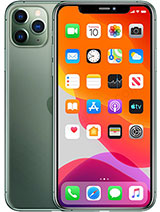
- Apple iPhone 11 Pro Max Size: 158 x 77.8 x 8.1 mm.
- Release date: 2019, September 10.
- Weight: 226 g.
- Screen specs: Super Retina XDR OLED, HDR10, Dolby Vision, 800 nits , 1200 nits.
- Screen size: 6.5 inches, 102.9 cm2.
PVP:
SNK.AS12773813.95€ AvailableInStockNewCondition